When a surveyor walks in,
what do you hand them?
QSO-26-03-NH changed what compliance means. This 5-step walkthrough shows exactly what surveyors now require — and how Rounds.One generates that documentation automatically.
5 steps · 2 minutes · No signup required
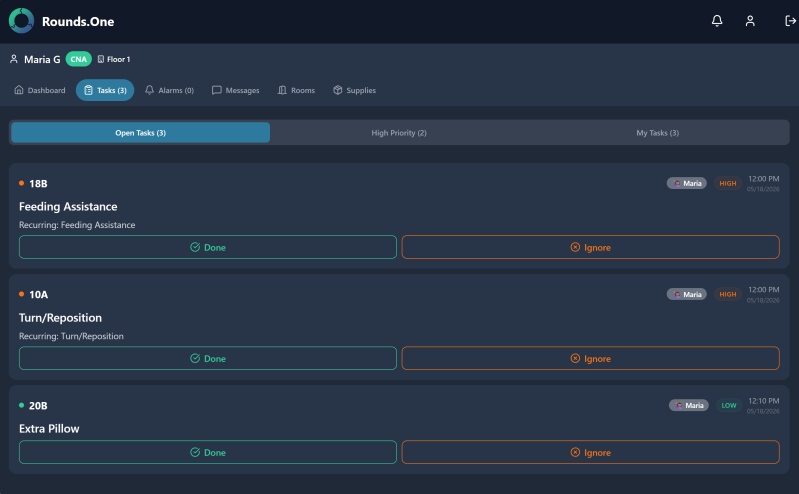
Tasks attach to rooms,
not people.
Tasks assigned to people
A CNA starts a task. They get pulled to another room. The task is forgotten. Next shift has no idea what was started.
Tasks live in the room
Room 114 needs a fall check. Any staff member on any shift can see and complete it. The task persists until it's done.
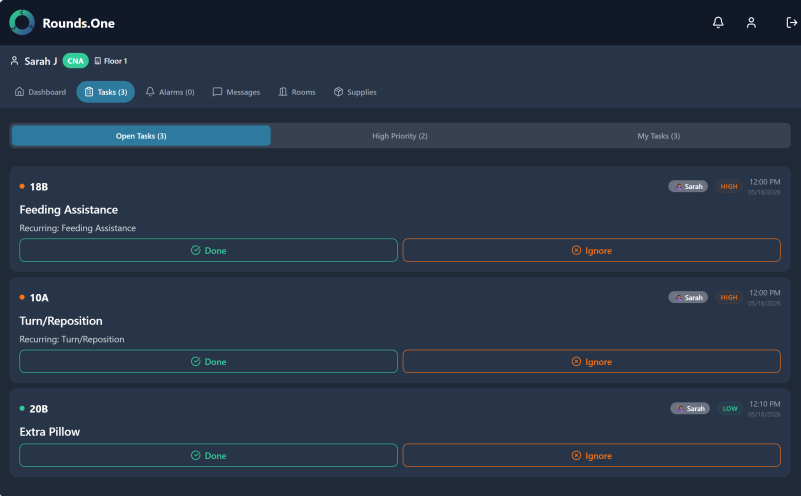
Shift changes.
Nothing gets lost.
Verbal handoff fails
"I think Room 114 was done?" — no one knows. Pending tasks get lost between shifts. Documentation is incomplete.
Handoff required: NO
Next shift logs in. They see exactly what's done and what still needs attention. Complete visibility, every shift.
30 days. 60 days. 90 days.
CMS wants to see the fix worked.
The follow-up falls through
A corrective action is written. Everyone means to check back at 30 days. But it's a busy facility. The date passes. No evidence the fix was ever monitored.
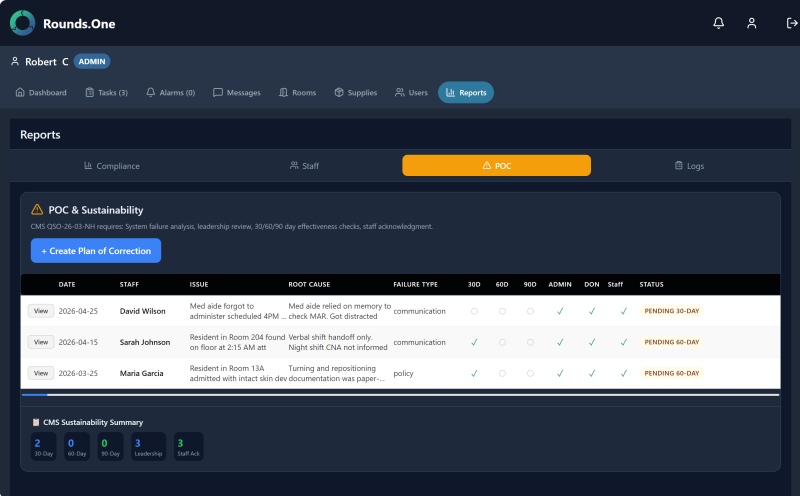
Automatic due dates. Timestamped evidence.
Every corrective action generates automatic 30/60/90 day check-in reminders. Staff document pass/fail with notes. Every check is timestamped.
"I told them" isn't proof.
A timestamp and signature is.
Verbal. Gone by morning shift.
You gather staff. You explain the corrective action. People nod. A surveyor asks for proof. You have a verbal memory and maybe a sign-in sheet.
Electronic sign-off. Legally defensible.
Staff receive acknowledgment requests. They read and sign electronically — name, timestamp, date. Stored permanently. Pull it up in seconds.
One click.
Everything the surveyor needs.
Hours pulling documents together
Emails. Binders. Shared drives. Handwritten notes. You spend hours — sometimes the whole first day — gathering documentation that may still be incomplete.
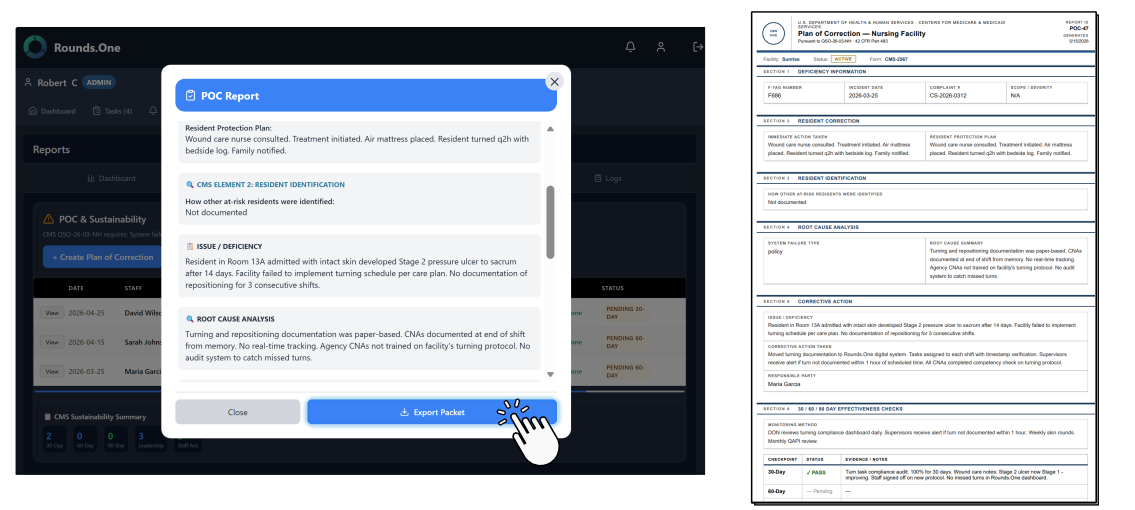
One click. Complete packet.
Click Export. The system generates a complete compliance packet: corrective actions, RCAs, 30/60/90 checks, staff signatures — formatted for surveyors.
Real impact
Don't find out you're unprepared
when the surveyor is already there.
Try Rounds.One free for 14 days. We'll configure your facility — rooms, shifts, everything.
Start Free Trial Book a Demo